Luma Dream Machine Review – Beginner’s Guide 2026
Luma Dream Machine Review: This AI video generator has become one of the most talked-about tools in 2026 and for good reason. This tool transforms simple text descriptions into realistic, cinematic video clips in under a minute. If you have been curious about AI video generation but felt overwhelmed by complicated software, Luma Dream Machine is exactly where beginners should start. This complete review covers everything you need to know before creating your first AI-generated video.
What Is Luma Dream Machine
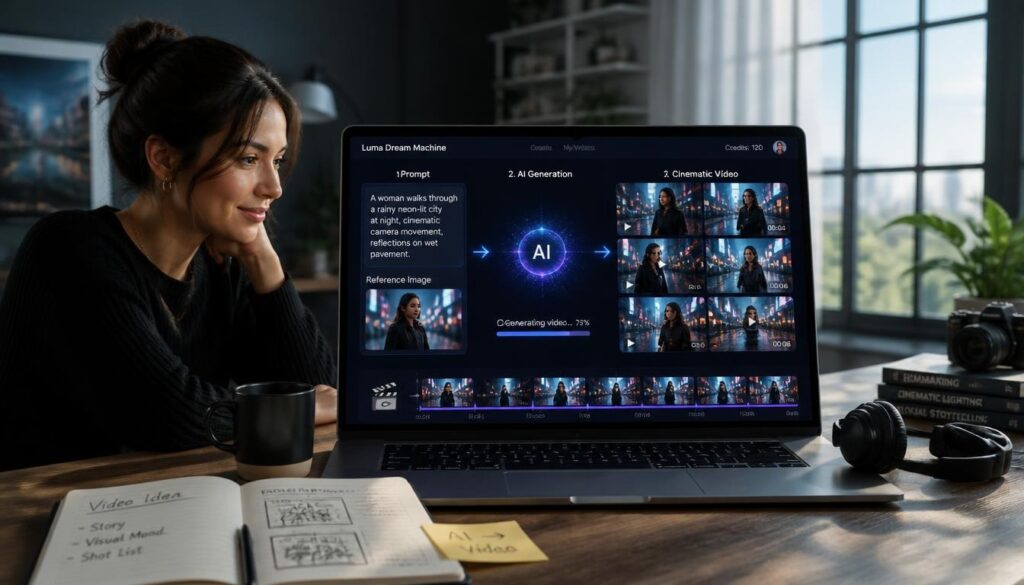
Luma Dream Machine is an AI video generation tool created by Luma Labs, a company specializing in advanced AI research and creative technology. Unlike traditional video editing software that requires footage and technical skills, Luma Dream Machine generates entirely new video content from text prompts or a single reference image.
The tool gained massive attention when it launched because of how naturally its videos move realistic camera motion, believable physics and smooth transitions that earlier AI video generators struggled to achieve. For beginners exploring AI video generation for the first time, Luma Dream Machine offers one of the most accessible entry points available according to Luma Labs at lumalabs.ai.
How Luma Dream Machine Works for Beginners
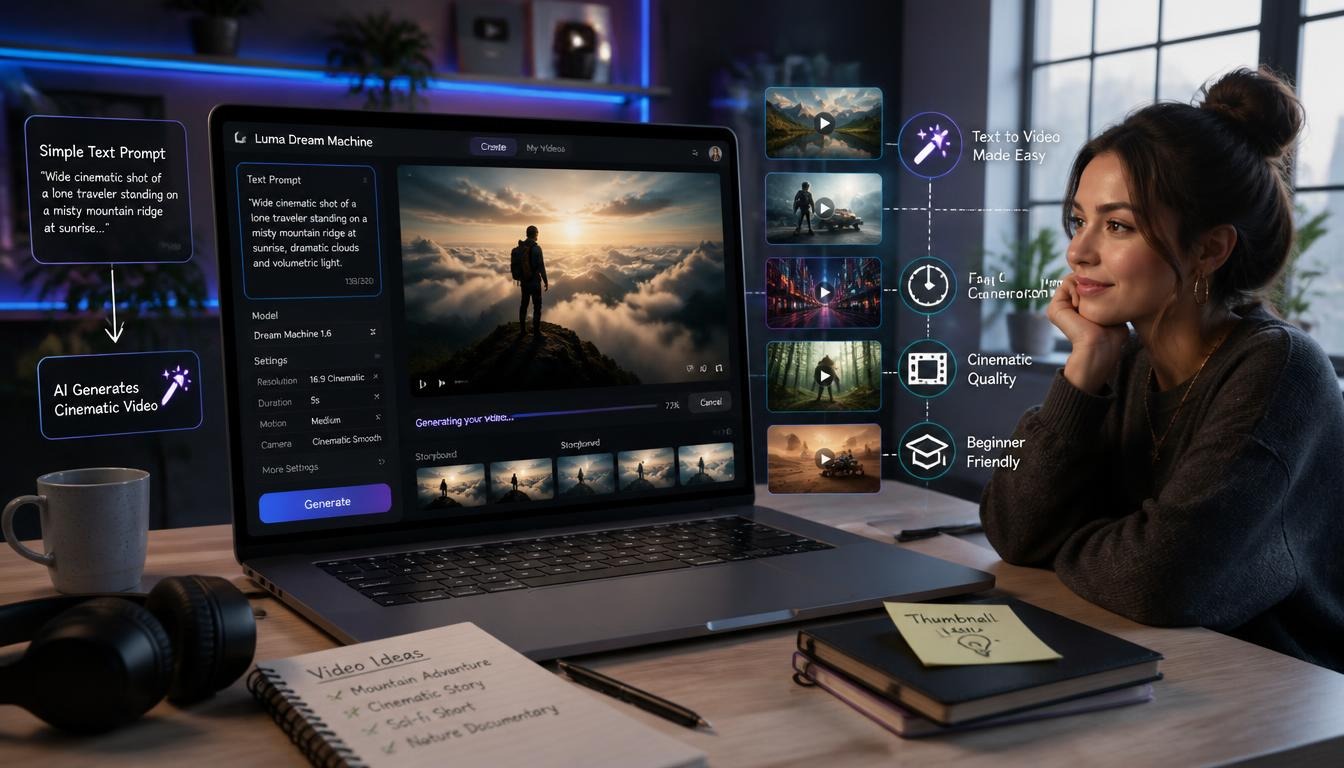
Getting started with Luma Dream Machine requires no technical background whatsoever. You simply describe the video you want to create in plain text, or upload a reference image and the AI generates a short video clip based on your description within roughly one to two minutes. The interface itself is refreshingly simple compared to many AI tools that overwhelm beginners with settings and options.
You type your prompt, select a few basic style preferences if desired and click generate. This straightforward approach makes Luma Dream Machine genuinely beginner-friendly in a category of AI tools that often intimidates newcomers with unnecessary complexity.
Luma Dream Machine Key Features
Luma Dream Machine offers several standout capabilities that distinguish it from other AI video generators currently available. The image-to-video feature deserves special mention, allowing users to upload a still photograph and watch Luma bring it to life with natural movement and camera motion.
The tool also handles camera movement requests remarkably well. You can specifically ask for pans, zooms, or tracking shots and Luma Dream Machine interprets these cinematography terms accurately. This level of creative control, combined with the tool’s realistic motion physics, makes it particularly appealing for content creators who need professional-looking video clips without professional filming equipment.
Luma Dream Machine Pricing and Plans
| Plan | Price | Generations | Best For |
| Free | $0/month | Limited daily generations | Testing and beginners |
| Standard | $10/month | Increased generations | Regular content creators |
| Pro | $30/month | Higher volume + priority | Professional creators |
The free tier provides enough generations for beginners to genuinely explore the tool’s capabilities before committing to any paid plan. According to TechRadar at techradar.com, Luma Dream Machine’s free tier remains one of the more generous offerings among AI video generators, making it accessible for anyone wanting to experiment before upgrading.
Luma Dream Machine Pros and Cons
| Pros | Cons |
| Beginner-friendly interface | Video clips are relatively short |
| Realistic motion and physics | Can be slow during peak usage times |
| Strong free tier | Limited fine-tuning control |
| Fast generation speed | Occasional inconsistent results |
| Image-to-video capability | Requires patience for perfect results |
Best Use Cases for Luma Dream Machine
Content creators find Luma Dream Machine particularly useful for generating background footage, social media clips and creative concept visualization. Marketers use it to quickly prototype video ideas before committing to full production. Bringing old photographs to life through the image-to-video feature has also become a genuinely popular creative application among beginners exploring the tool.
For anyone producing content for platforms like Instagram, TikTok, or YouTube Shorts, Luma Dream Machine offers a genuinely practical way to create eye-catching video elements without traditional filming or animation skills. The realistic quality of generated clips means they blend naturally alongside conventionally filmed footage.
Tips for Getting Better Results as a Beginner
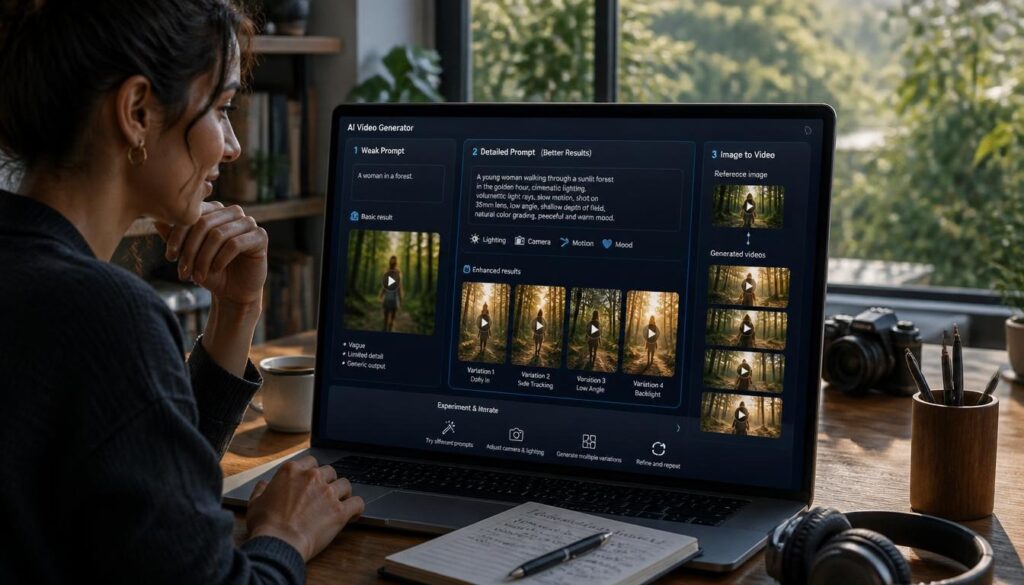
Writing effective prompts makes a significant difference in output quality. Be specific about lighting, camera angle and mood rather than vague descriptions. Instead of “a person walking, try a woman walking through a sunlit forest, slow motion, cinematic lighting.”
Starting with the image-to-video feature often produces more predictable results for complete beginners, since you are guiding the AI with a concrete visual reference rather than relying entirely on text description. Experiment with multiple generations of the same prompt, since results vary between attempts even with identical input.
Conclusion
Luma Dream Machine earns its reputation as one of the best AI video generators for beginners entering 2026. Its combination of an accessible interface, genuinely realistic output and a generous free tier removes the traditional barriers that once made AI video creation feel intimidating.
While the short clip length and occasional inconsistency mean it is not yet a complete replacement for professional video production, Luma Dream Machine delivers impressive results for content creators, marketers and curious beginners alike. Anyone wanting to explore AI video generation without a steep learning curve should start here.
FAQs
Is Luma Dream Machine free to use?
Yes, Luma Dream Machine offers a free tier with limited daily generations, making it accessible for beginners to test before upgrading to a paid plan.
How long are the videos Luma Dream Machine generates?
Generated clips are typically short, usually a few seconds long, making them ideal for social media content rather than full-length videos.
Can beginners use Luma Dream Machine without design experience?
Absolutely. The tool requires no technical or design background simply describe what you want or upload a reference image to get started.
What makes Luma Dream Machine different from other AI video tools?
Its realistic motion physics and natural camera movement set it apart, along with a genuinely beginner-friendly interface that avoids unnecessary complexity.
Can I turn a photo into a video with Luma Dream Machine?
Yes, the image-to-video feature is one of Luma’s standout capabilities, bringing still photographs to life with natural, believable movement.
Is Luma Dream Machine good for social media content?
Yes, its short, high-quality clips work particularly well for Instagram Reels, TikTok and YouTube Shorts content creation.